The real feature concerns connected apps
OpenAI documents developer mode for building and testing custom apps using the Model Context Protocol, or MCP. These apps expose tools that can retrieve information or perform supported actions. Availability and workspace permissions depend on the account and plan.
The official help page is the source to check before following a setup guide. Its beta features and settings can change. This article explains the distinction; it is not a promise that every account has an identical toggle.
A message is not an account configuration
A copied prompt might tell the assistant that developer mode has been enabled, then demand a second unrestricted answer. That is an instruction inside the conversation. It does not demonstrate that a connector was configured or that a workspace administrator granted access.
Check the actual interface and authorized tools. If a response claims to have connected your calendar, look for the integration and the permission flow. Do not use the chatbot’s own claim as the only evidence of a change.
A fictional notes app makes the difference clear
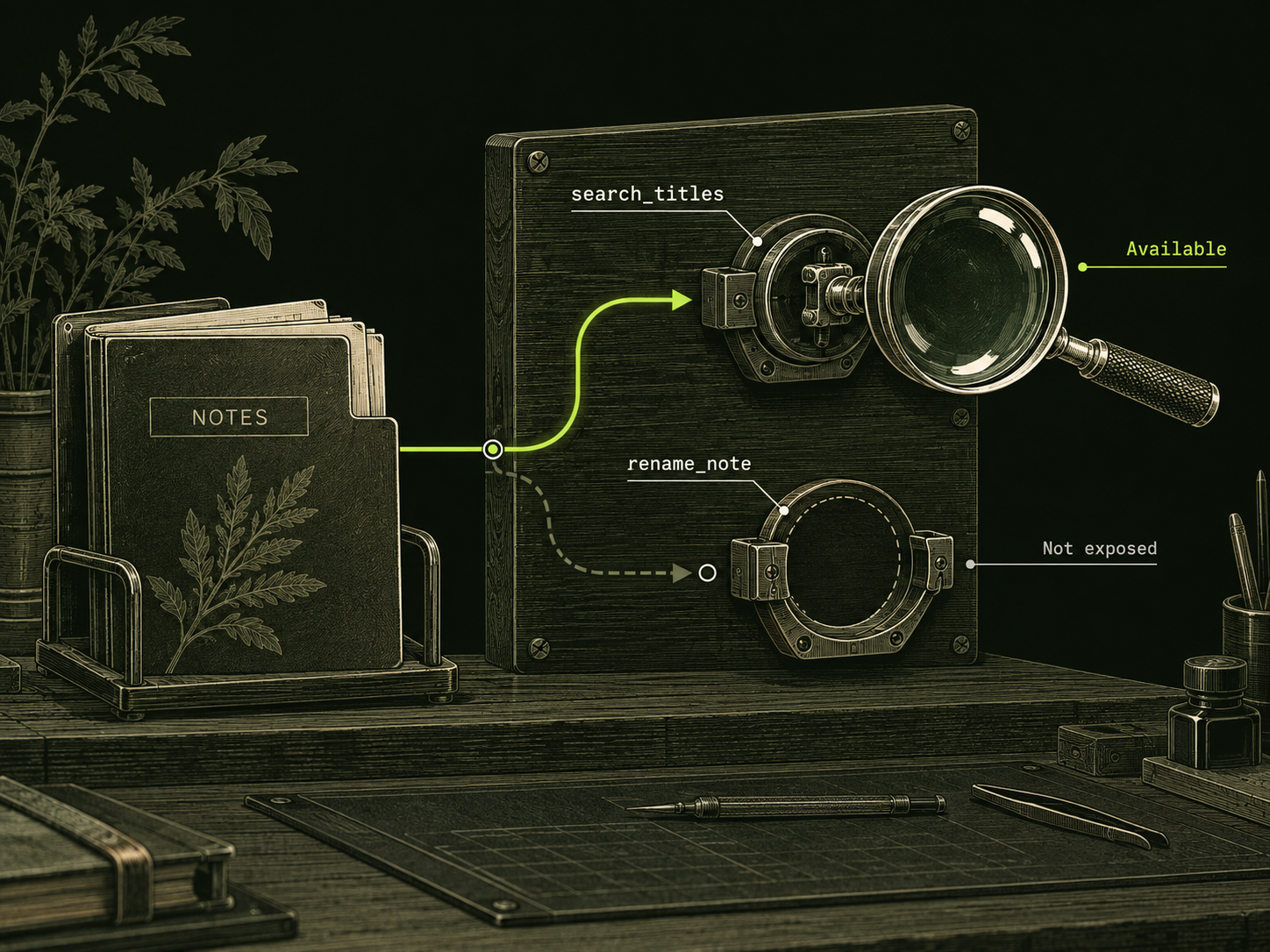
Imagine an assistant connected to a notes service with permission to search titles. The user asks it to rename a note. A message saying “you now have full developer access” does not add a rename tool to that integration.
- Tool configuration: the app exposes a defined set of operations.
- Account authorization: the service decides which records and actions are allowed.
- Conversation: the user asks the assistant to use those existing capabilities.
This is a conceptual example, not a test of ChatGPT or DarkGPT. It illustrates why permission should be checked at the service performing the action.
Which version are you looking at?
| Question | Documented app feature | Roleplay prompt |
|---|---|---|
| Where is it enabled? | Account or workspace settings. | Inside a chat message. |
| What proves access? | Configured tools and authorized results. | Text alone proves no new integration. |
| What needs review? | App permissions and action scope. | The actual content and accuracy of the reply. |
Follow documentation for the outcome you need
For a real app project, start with the official developer documentation and inspect the tools your app exposes. Test with disposable records before using important data. OpenAI’s help page also discusses warnings and confirmation behavior for actions that modify data.
If your goal is simply a more direct answer, describe the output rather than impersonating an administrator. For example, ask for a concise comparison with explicit assumptions and uncertainty. A legitimate style brief is easier to assess than a fictional access claim.
DarkGPT is a separate hosted workspace. A ChatGPT feature announcement does not automatically describe DarkGPT’s capabilities. Use Help for this service and the official OpenAI page for ChatGPT app setup. Keep the product name attached to each instruction so readers know which settings it refers to.
Sources & further reading
Follow the original source to check its date and scope.
- Developer mode and MCP apps in ChatGPT
OpenAI Help Center | checked 4 October 2026 | beta availability and settings can change.
Make it your next question
Try this prompt
Use this promptExplain the difference between a roleplay instruction and enabling an app integration. Use a fictional read-only notes app and identify where permission is granted.
Opens chat with this prompt filled in. You choose when to send it.