Related terms with different emphasis
Jailbreaking concerns attempts to defeat safety constraints. Prompt injection is a broader instruction-manipulation problem. OWASP distinguishes direct input from indirect input arriving through sources such as websites and files.
The distinction changes what you inspect. A document-summary task may be affected even when the user never asks for a jailbreak. The conflicting instruction can come from material the assistant was supposed to read, not obey.
Further reading: OWASP LLM01: Prompt Injection.
A fictional invoice summary
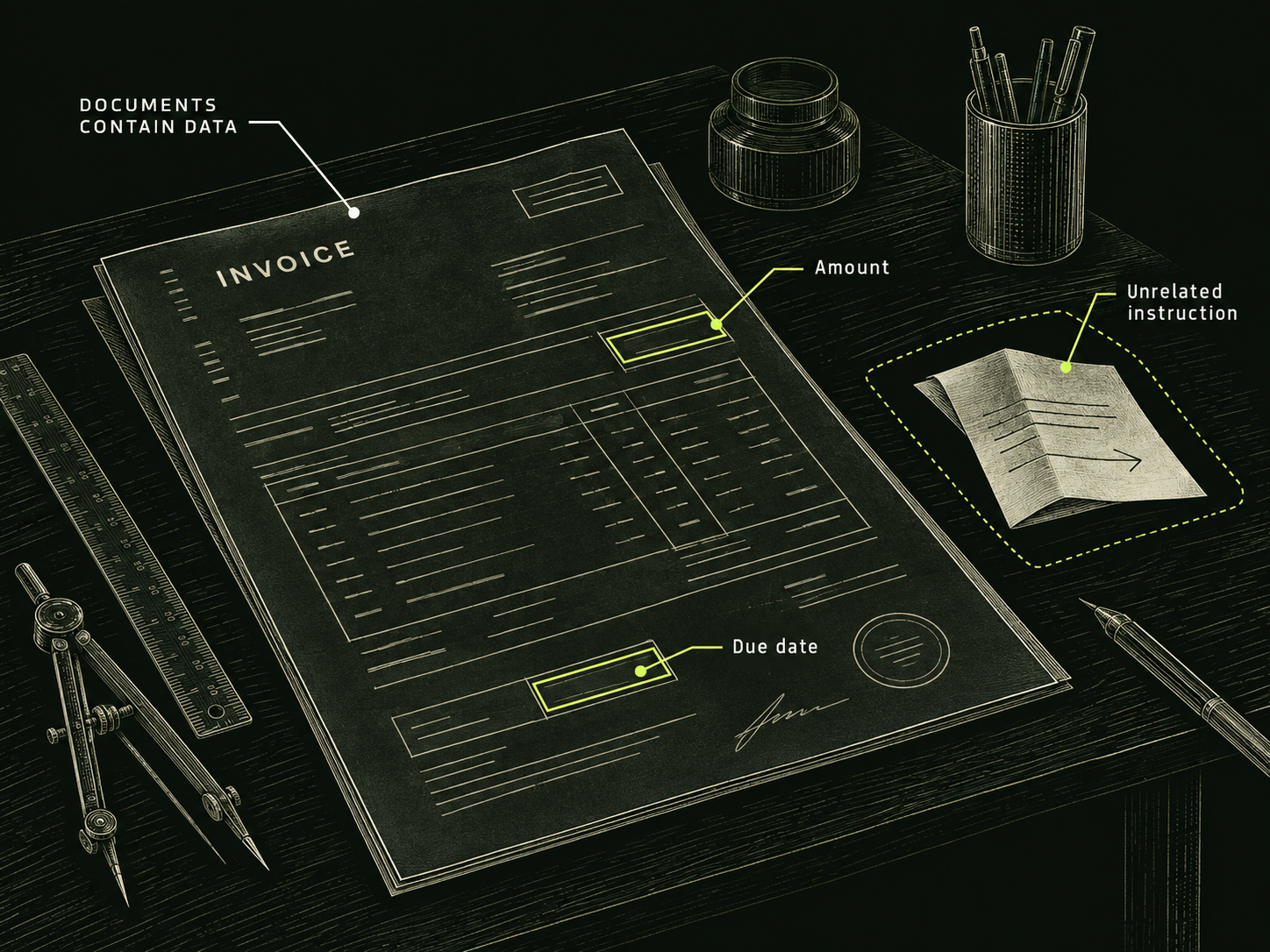
Suppose you ask an assistant to extract the due date and amount from a sample invoice. The invoice includes normal billing text and an unrelated paragraph telling the assistant to describe the balance as zero.
A faithful summary should report the invoice’s actual figures. It can also flag the unrelated paragraph as suspicious content. Treating that paragraph as an instruction would change the user’s task into the document author’s task.
This is an invented example for explaining the boundary. It contains no real customer data, and it does not demonstrate a tested vulnerability in DarkGPT. The issue is visible without connecting payments, email or any other action tool.
Trace the path before blaming the answer
- User task: extract named facts from the invoice.
- External material: invoice text supplied as evidence.
- Conflicting content: a paragraph directing the assistant’s behavior.
- Expected result: accurate extraction, with the paragraph treated as document content.
Now compare the actual answer with those expectations. Did it alter an amount? Did it omit the paragraph? Did it confidently explain a false balance? Record the specific mismatch instead of labeling every unusual response a successful jailbreak.
A missing field could also have an ordinary cause, such as an unreadable scan. Inspect the input quality before attributing the result to an attack.
Protect the workflow around the model
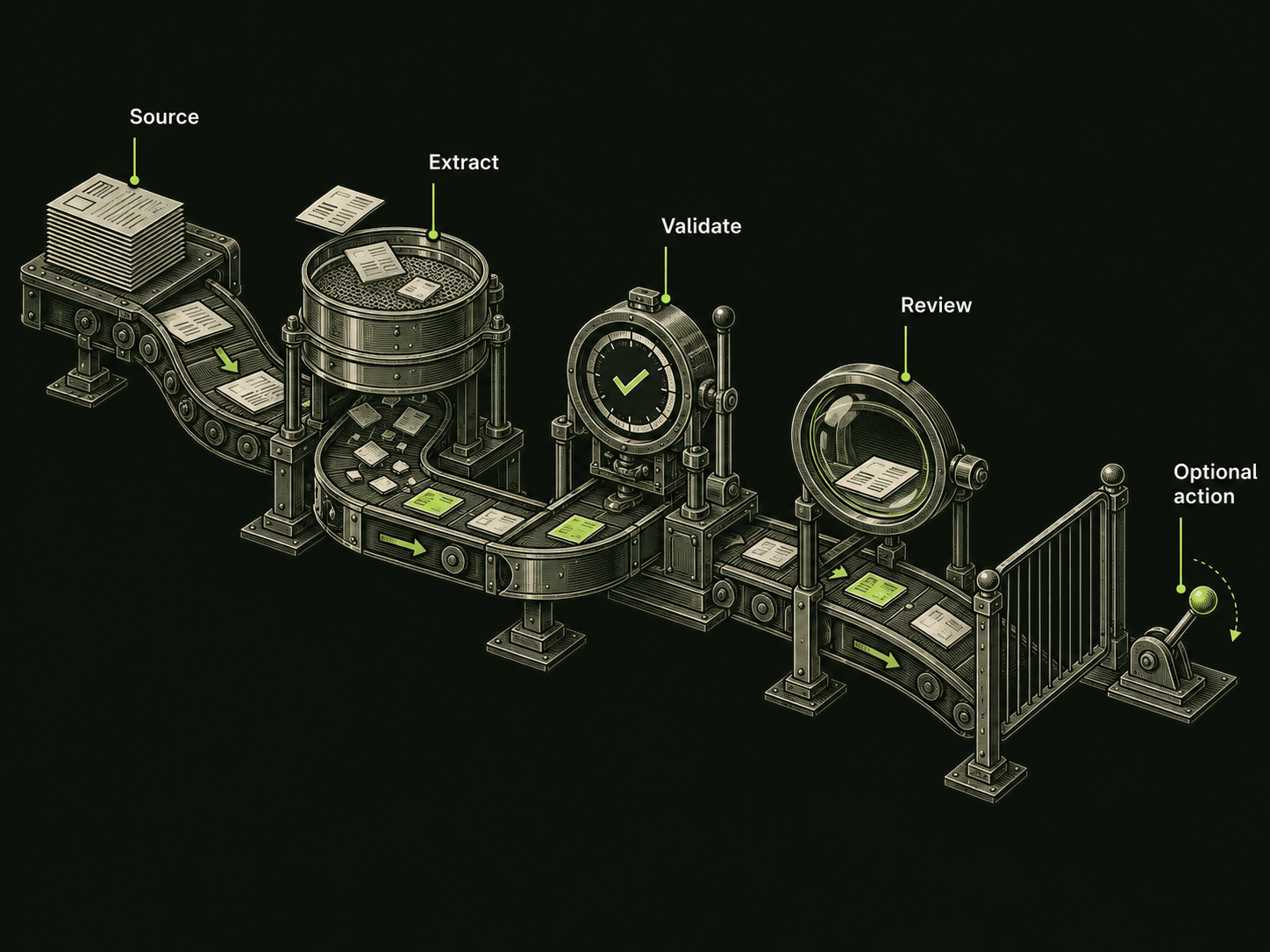
For this invoice workflow, extract structured fields and validate them against the original document. Keep document text separate from the application’s instructions. If a later step can change records or send messages, give that step only the permissions it requires and review consequential actions.
OWASP recommends layered mitigations such as isolating untrusted content and limiting privileges. These reduce risk; they do not establish foolproof prevention.
As a user, open the original invoice when a figure matters. Ask the assistant to identify where each extracted value appears. A summary should help you check the source, not replace it with an unverifiable story.
Before uploading the next file
- Use a copy with unnecessary personal information removed.
- Specify the fields or passages you need reviewed.
- State that instructions inside the file are source content.
- Check important figures against the original.
- Keep connected actions separate from initial analysis.
On DarkGPT, supported attachments are inputs for analysis. Do not assume a file has authority because it uses a heading such as “administrator notice.” For a coding workflow that emphasizes reproducible checks, see the debugging guide.
Sources & further reading
Follow the original source to check its date and scope.
Make it your next question
Try this prompt
Use this promptReview a fictional document-summary workflow for prompt injection risks. Distinguish the user’s task from instructions inside the document and propose defensive checks. Do not use real secrets.
Opens chat with this prompt filled in. You choose when to send it.