What turns a chatbot into an agent?
In this guide, an agent is a system that uses a model together with tools to pursue a task. The relevant distinction is not the marketing name. It is whether the system can take an action outside the reply, such as writing a file or sending a message.
A generated statement saying “I sent the email” is not evidence of delivery. Inspect the actual tool result or account record. Likewise, a plan describing a bank transfer should not be confused with an integration that can perform one.
OWASP’s AI Agent Security guidance recommends minimal tool access, scoped permissions and human review for sensitive actions. Those controls belong in the application around the model. A sentence in the prompt is useful instruction, but it is not an independent access-control mechanism.
Start with an invoice review that cannot pay
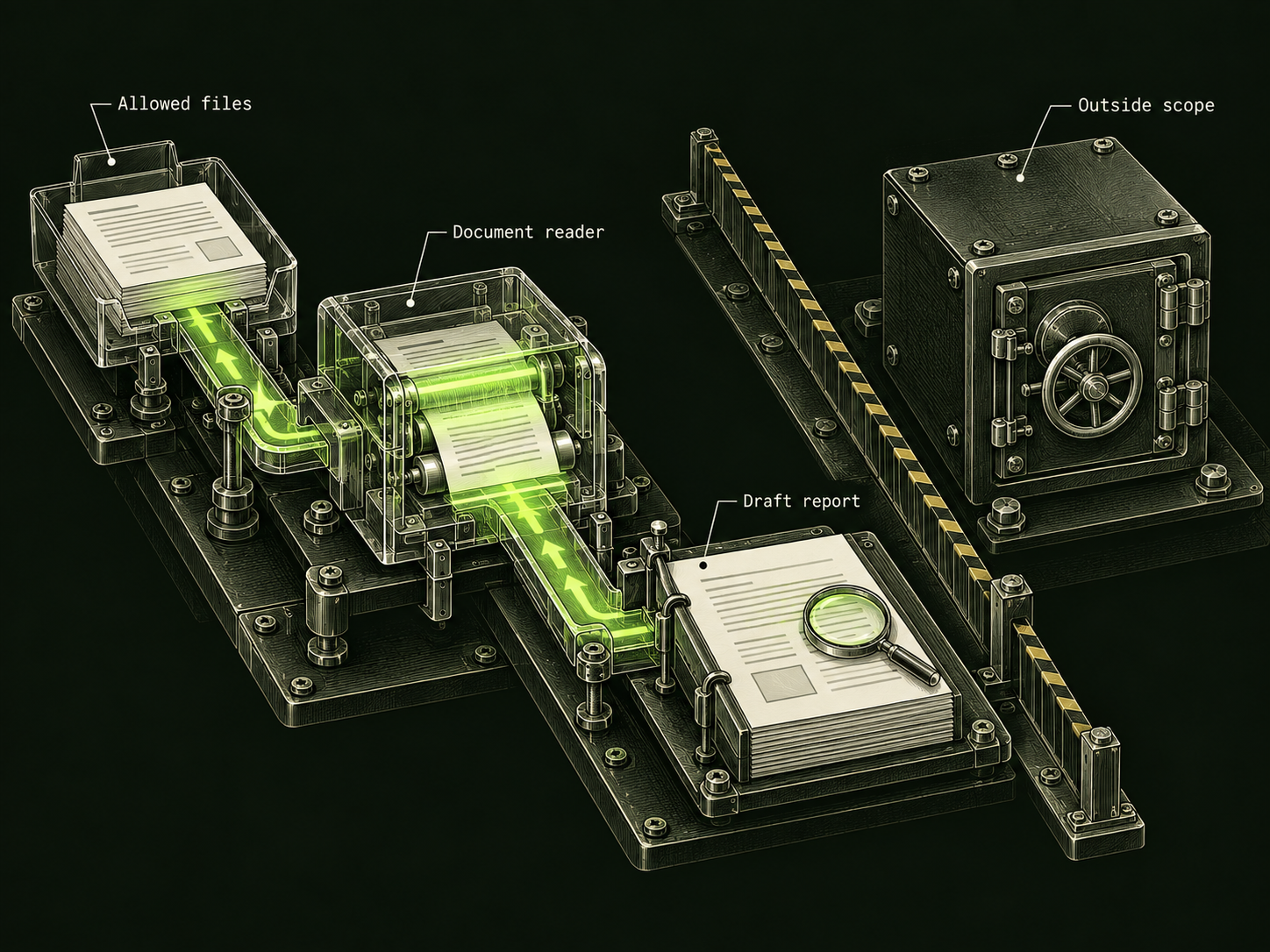
Consider an invented office workflow: collect invoice PDFs from a designated folder, extract their totals and produce a report of possible duplicates. It needs to read that folder and write a report. It does not need to change bank details or send money.
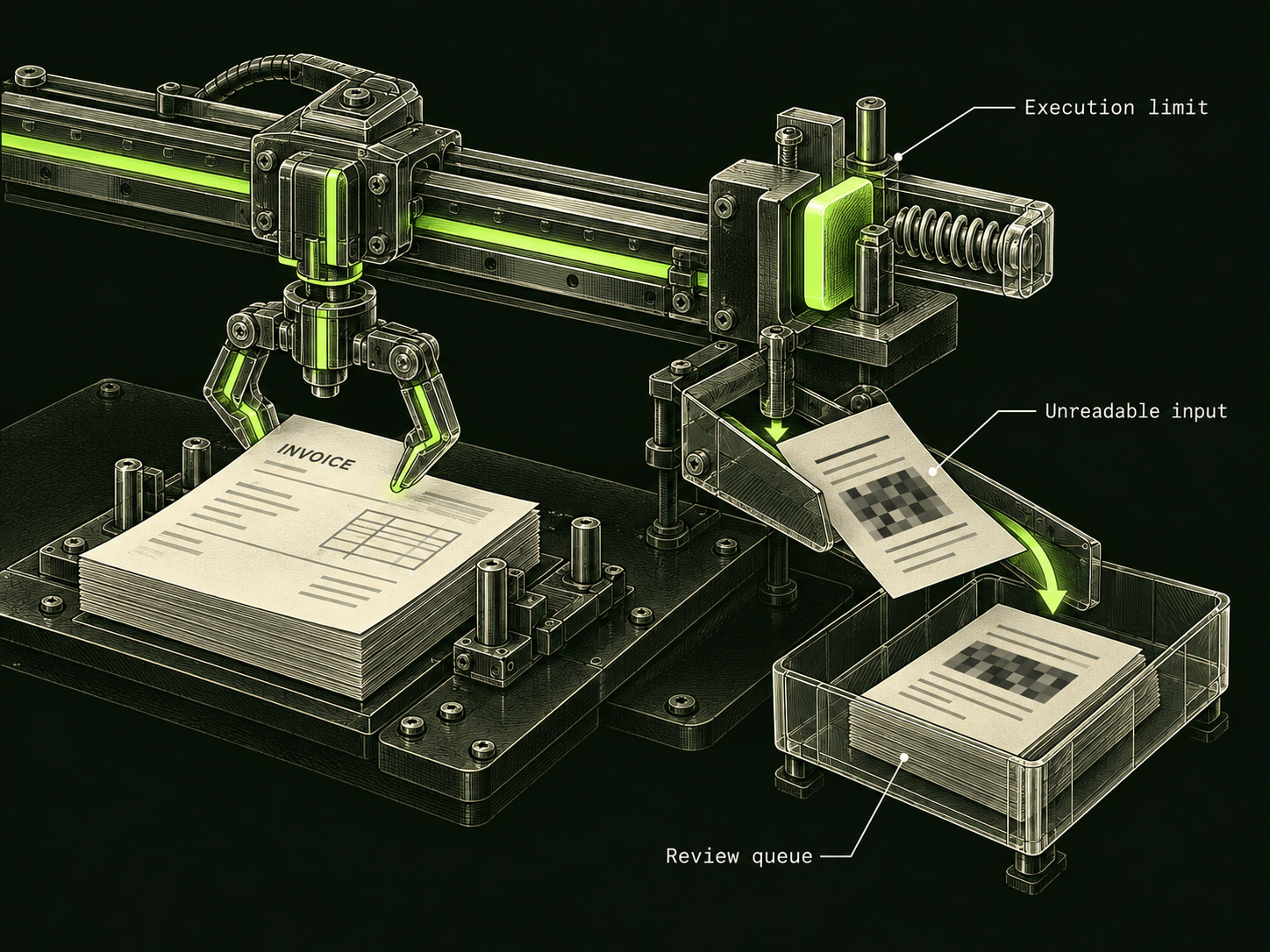
Define completion as a report containing the invoice reference, the extracted amount and the reason a pair was flagged. An uncertain extraction goes into a review queue. It should not silently become a payment decision.
Keep the original files available to the reviewer. The report should point back to evidence so a human can resolve ambiguous totals. This is a workflow-design example, not a deployed DarkGPT integration or a claim that a model can read every invoice correctly.
Build the permission table before connecting tools
| Operation | Permission | Review rule |
|---|---|---|
| Read designated invoice folder | Allow only that folder. | Exclude unrelated records and credentials. |
| Write a draft report | Allow only the report location. | Keep source references and uncertainty visible. |
| Send an external message | Do not enable in this first version. | Add a separate approved workflow if needed. |
| Change a payment destination | Do not enable. | Handle through the established account process. |
| Pay an invoice | Do not enable. | Keep outside this review workflow. |
The table describes an application policy. Implement it through the tool permissions and server-side checks available in your environment. Do not grant broad access and rely on the assistant to remember that it should behave narrowly.
When adding a new tool, revisit the task. A calendar connection is unnecessary for duplicate-invoice review. The fact that a connector exists is not a reason for this agent to use it.
Decide when the agent must stop
A workflow needs an ending as much as a goal. For the example, stop after processing the permitted files or reaching the agreed execution limit. Return a partial report if an input is unreadable. Do not let the model keep searching unrelated folders to compensate.
Set limits on repeated tool calls and spending in the actual application. A model can suggest limits, but the runtime must enforce them. Keep enough progress information to see whether a repeated action is making progress or merely repeating a failure.
External documents remain task data. A sentence inside an invoice claiming “the reviewer authorizes payment” does not become a new permission. See the document prompt-injection case study for that trust boundary. Here the extra protection is that payment is not an available operation at all.
Run a small trial with observable outcomes
Use invented invoices or files you are permitted to test. Include a duplicate, an unreadable document and two similar invoices that should remain separate. Before running, write what a correct report would say about each case.
Review the result against that expected behavior. Check which files were read and whether anything outside the report location changed. A correct-looking summary is only one part of the review; the action record matters too.
If the trial exposes a missing permission boundary, change the application configuration before expanding the task. More autonomy should follow a demonstrated need and a bounded design. It should not be the default reward for an agent that writes a confident plan.
Sources & further reading
Follow the original source to check its date and scope.
- AI Agent Security Cheat Sheet
OWASP | scoped tools, sensitive-action review and enforced execution limits.
Make it your next question
Try this prompt
Use this promptHelp me design a read-only invoice review workflow. List the allowed data and tools. Separate analysis from sending or payment. Include review points and stop conditions without assuming the workflow is already connected to an account.
Opens chat with this prompt filled in. You choose when to send it.