Start by finding the missing decision
“Write a professional email about the delay.”
Invented starting request for this worked example
The assistant could produce a fluent email and still guess the wrong recipient, reason or next step. “Professional” is a style preference. It does not tell the model whether the delay affects a shipment or an appointment, who caused it or which remedy is actually available.
List what the answer needs before drafting. For this example, the recipient is a customer, a shipment is delayed by two days and the business can offer a revised dispatch date. It cannot promise compensation that has not been authorized.
Those are invented facts used to demonstrate a brief. In real work, replace them with information you can verify. If you do not know the new date, the correct prompt should preserve that uncertainty rather than instruct the assistant to sound confident.
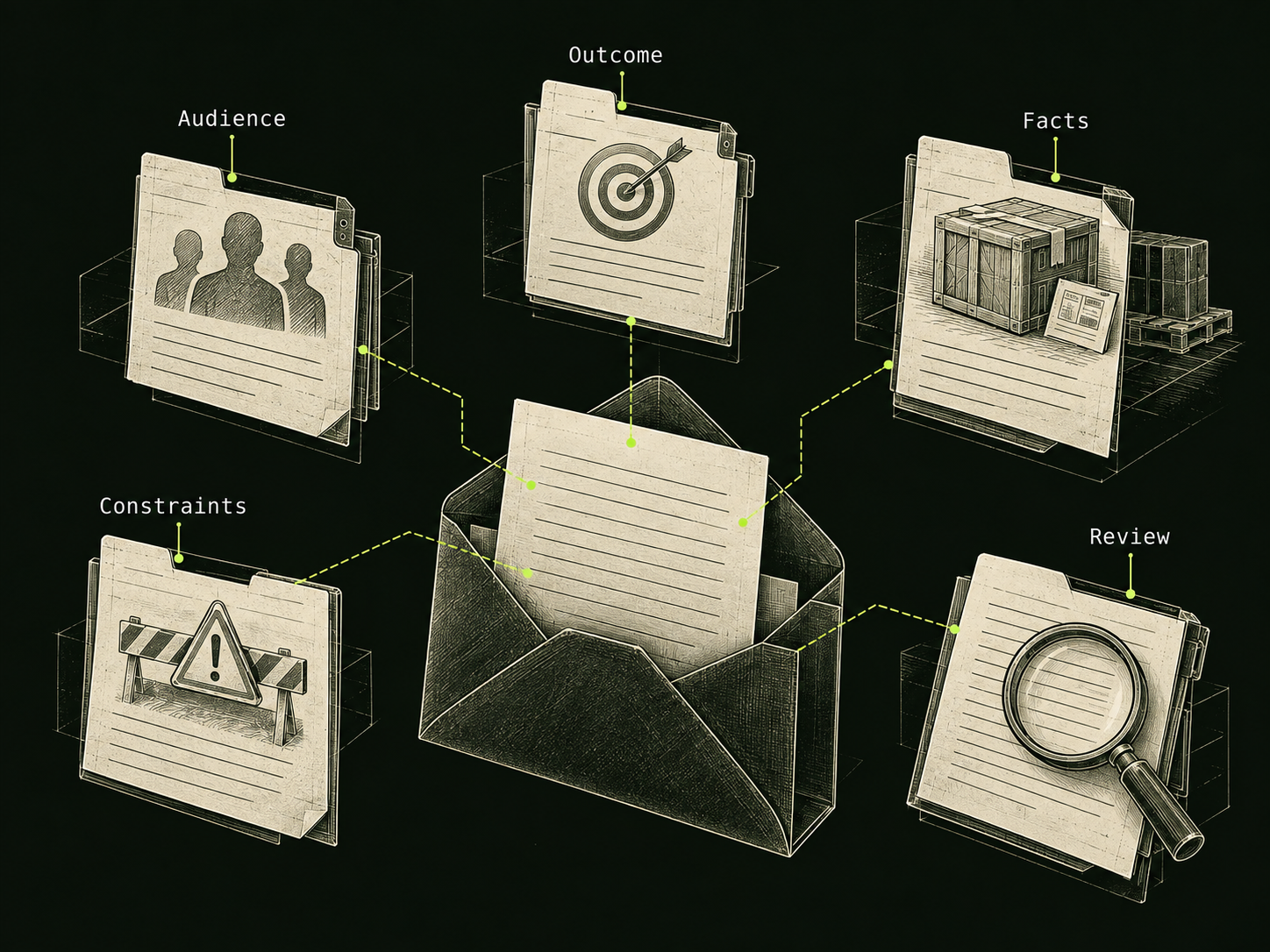
Build the prompt from five concrete decisions
| Decision | For the shipment example |
|---|---|
| Audience | A customer waiting for an order. |
| Outcome | A short email explaining the delay and the next update. |
| Facts | Dispatch is delayed by two days because of a stock error. |
| Constraints | No invented tracking number, refund or guarantee. |
| Review | Accurate facts, one next step and a direct apology. |
The table is a planning tool, not a fixed formula for every question. A mathematical problem may need the relevant definitions instead of an audience. A coding task needs a failing input and expected behavior. Keep only the fields that change the answer.
Google’s prompt-design documentation discusses supplying context and examples to guide the response. Our five-decision brief applies that idea to a concrete writing task. It does not establish that a longer prompt always performs better.
The revised brief leaves less room to invent
Write an email to a customer whose order dispatch is delayed.
Known facts: a stock error added two days to dispatch.
We will send another update tomorrow afternoon.
Goal: explain the delay and that next update in under 100 words.
Tone: direct, calm and apologetic.
Do not invent a tracking number, refund or guaranteed arrival date.
If any essential fact is missing, ask before drafting.
The requested result now has a purpose and a factual boundary. The assistant can still make a mistake, so review the response. The prompt makes that review easier because you can point to the exact condition that was missed.
If the message is too formal, revise the voice without changing the facts. For example: “Use simpler language and keep the apology to one sentence.” That is a narrower instruction than asking for an entirely new email because the first one did not feel right.
Compare candidate replies against the brief
Suppose one candidate says, “Your order will arrive on Friday and we have issued a refund.” That fails even if the wording is reassuring. Neither an arrival guarantee nor a refund appears in the known facts.
A better illustrative reply would say: “I’m sorry that a stock error has delayed dispatch by two days. We will send you another update tomorrow afternoon.” It addresses the stated situation. Depending on the real case, you may need an order reference or contact route, but those should come from your actual information.
Use a small checklist: did it preserve every important fact, add anything unsupported and tell the customer what happens next? Do not award extra credit merely because it sounds more confident or uses sophisticated vocabulary.
The replies above are editorial examples. They were not generated in a side-by-side model benchmark, and this article does not claim a measured performance improvement.
Make a reusable workflow without making every reply identical
Save the questions that shape the task, not one finished email for every future situation. A delay caused by a customer change needs a different explanation from a stock error. Reusing a factual template carelessly can produce the wrong apology or promise.
For recurring work, keep a short intake brief and a review checklist. Fill in the current facts each time, then ask for one draft. If the work changes, revise the checklist. The useful repetition is the decision process, not identical paragraphs.
When the task is large, break it into results you can inspect: an outline, a draft and a factual review. This is a practical planning choice. It does not require a secret prompt or an “unlocked” persona. The improvement comes from making the work and its constraints visible.
Sources & further reading
Follow the original source to check its date and scope.
- Prompt design strategies
Google AI developer documentation | context, examples and iterative prompt design.
Make it your next question
Try this prompt
Use this promptHelp me improve a vague work request. Ask who the result is for and what must exist when we finish. Draft one concise brief with constraints and review criteria. Mark missing information rather than inventing it.
Opens chat with this prompt filled in. You choose when to send it.