What has to be local for an offline chatbot?
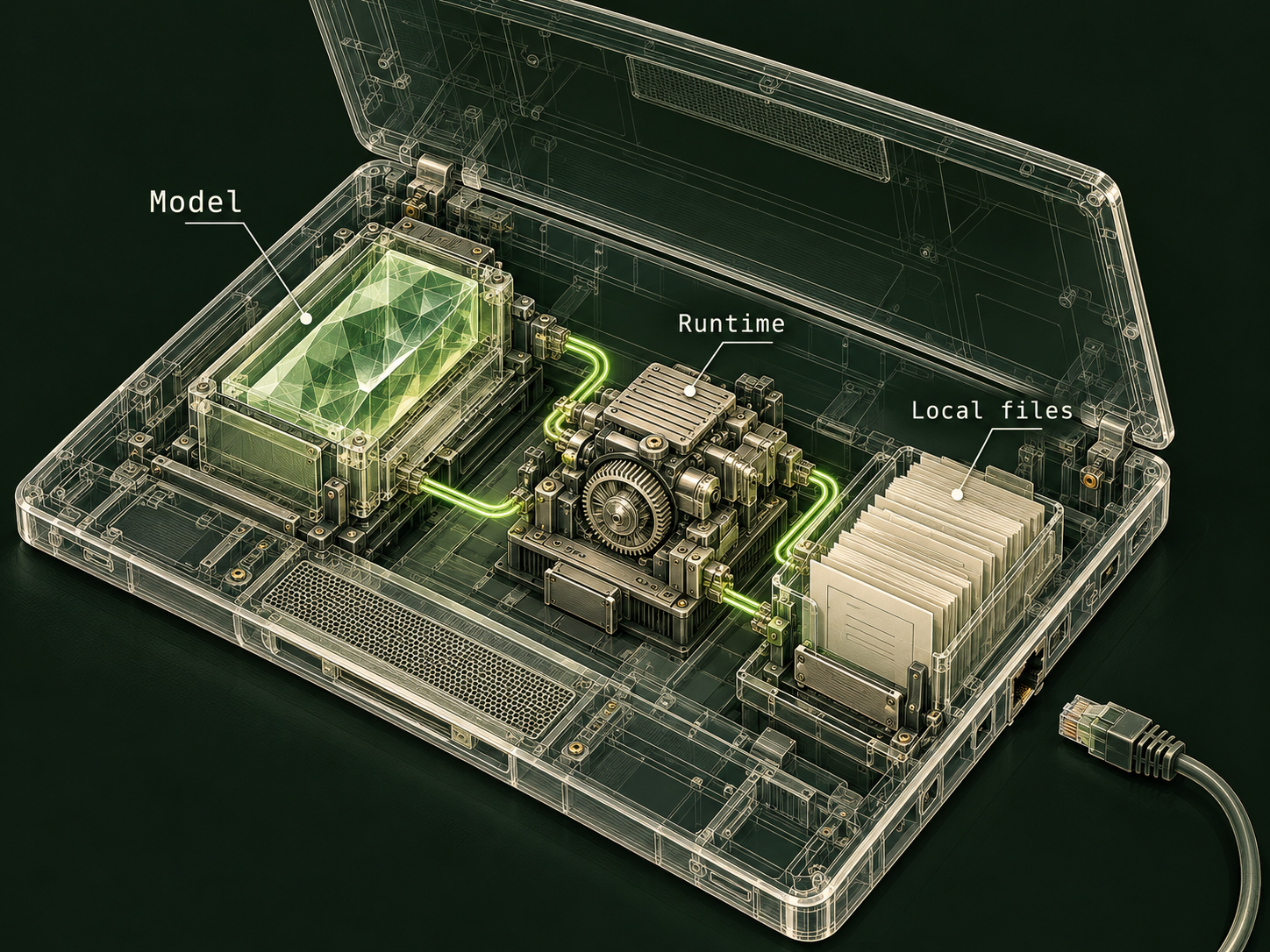
You need compatible inference software, downloaded model files and an interface that sends requests to that local runtime. Your task inputs must also be available on the device. If one required component still lives on a remote service, that part of the job needs a connection.
Installation and offline use are separate stages. A model can require a large initial download and then generate text locally. A service may download updates later. Plan those stages before relying on the setup somewhere without connectivity.
Ollama’s official FAQ describes local execution and an option to disable its cloud features. That makes it a concrete example of a runtime that can be configured for local-only use. It does not establish that every interface connected to Ollama, or every other desktop AI application, follows the same data path.
Which features still need the internet?
| Component | Can be local | Common remote dependency |
|---|---|---|
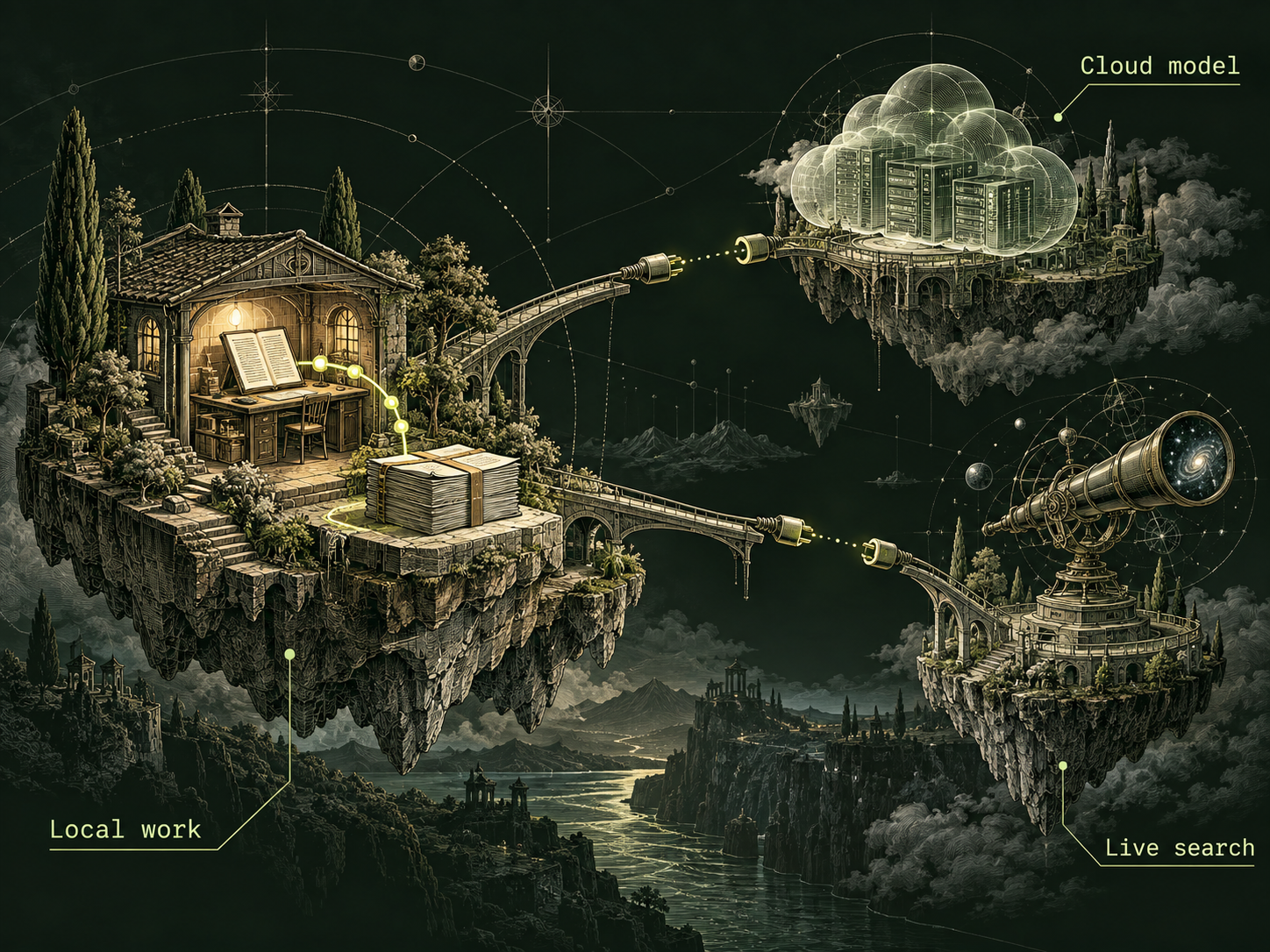
| Text generation | Runtime with downloaded model files. | A selected cloud-hosted model. |
| Reading documents | Local files and extraction software. | A remote drive or conversion service. |
| Retrieving information | A local document index. | Live search or an external database. |
| Keeping conversation history | Storage on the device. | Account synchronization or cloud backup. |
| Installing updates | Previously downloaded packages. | Software and model download servers. |
Walk through what happens when you open a file, submit a message and save the answer. Look for remote model names, sign-in requirements and connected tools. A label such as “private” or “desktop” does not answer these questions.
If you disable cloud features, expect cloud search and remote models to become unavailable. That is a meaningful limit, not a bug to solve by silently reconnecting. An offline assistant can work with the information you supply; it cannot verify today’s event through a disconnected web search.
How much computer do you need?
There is no single memory requirement for “offline AI.” Requirements depend on the specific model, its quantization, the runtime and the context you ask it to process. The model file’s download size is not the complete memory budget.
Start with the official requirements for your chosen runtime and model. Confirm operating-system and hardware compatibility. Then trial a small representative task while observing memory use and response time. A successful one-sentence response does not establish that a long document will fit comfortably.
For an original example, a field researcher wants to summarize locally stored equipment notes on a laptop. Test the actual note length, including a table and an unclear paragraph. Decide whether the result is usable and fast enough before the trip. Avoid choosing a model solely because its parameter count is larger; the appropriate model is the one that fits both the task and the available machine.
Prove the workflow works while disconnected
- Install the permitted software and download the selected model while connected.
- Place invented test files and required reference material on the device.
- Select the local model and disable unnecessary cloud features.
- Disconnect the device and start a new chat rather than reopening a cached answer.
- Run the representative task, save the output and reopen it while still offline.
Check the whole sequence. If generation succeeds but file extraction fails, you have found a dependency that the chat-only trial missed. If saving requires sign-in, the workflow needs a different storage arrangement.
A disconnected trial establishes that the tested workflow can function without that connection. It does not establish what the application will transmit after you reconnect. For that separate question, review settings, application documentation and the relevant network behavior.
Offline does not mean current, accurate or unlimited
A local assistant can be useful for drafting, reorganizing notes and explaining supplied material. Its output can still contain errors. Preserve source excerpts and verify important details against your local references rather than treating the disconnected computer as a guarantee of correctness.
Plan updates and backups deliberately. Keep a record of the runtime and model versions used for an important result. Review the model’s license for your intended use instead of assuming that a downloadable file is unrestricted.
Hosted services can offer tools and convenience that a local arrangement lacks. Local execution can offer an offline workflow you can inspect more directly. Choose between them based on the actual requirement. If your task depends on current information, prepare a verified local reference set or wait until you can reconnect and check it properly.
Sources & further reading
Follow the original source to check its date and scope.
- Ollama FAQ | local execution and cloud controls
Ollama | local-only configuration is separate from cloud models, search and downloads.
Make it your next question
Try this prompt
Use this promptHelp me plan an offline AI workflow. Ask about my device and task. List the components that must be available locally and design a disconnected trial with invented data. Do not assume a desktop app uses a local model.
Opens chat with this prompt filled in. You choose when to send it.